BAIB — Blueprint AI BridgeBlueprint-focused optimisation for AI-heavy editor workflows
BAIB — Blueprint AI Bridge is an Unreal Engine editor tool aimed at reducing Blueprint token overhead and making AI-oriented Blueprint workflows more efficient to inspect, manage, and iterate on inside the editor.
- BAIB compresses your Blueprint graphs into compact, AI-readable payloads, up to 97% smaller. So you can work with any LLM without burning through tokens.
- Built for Blueprint-heavy Unreal Engine workflows. Get advice and instruction, or pastable code.
- Focused on reducing token overhead and saving time.
- Works with ChatGPT, Claude, Gemini, DeepSeek, or any text-based LLM.
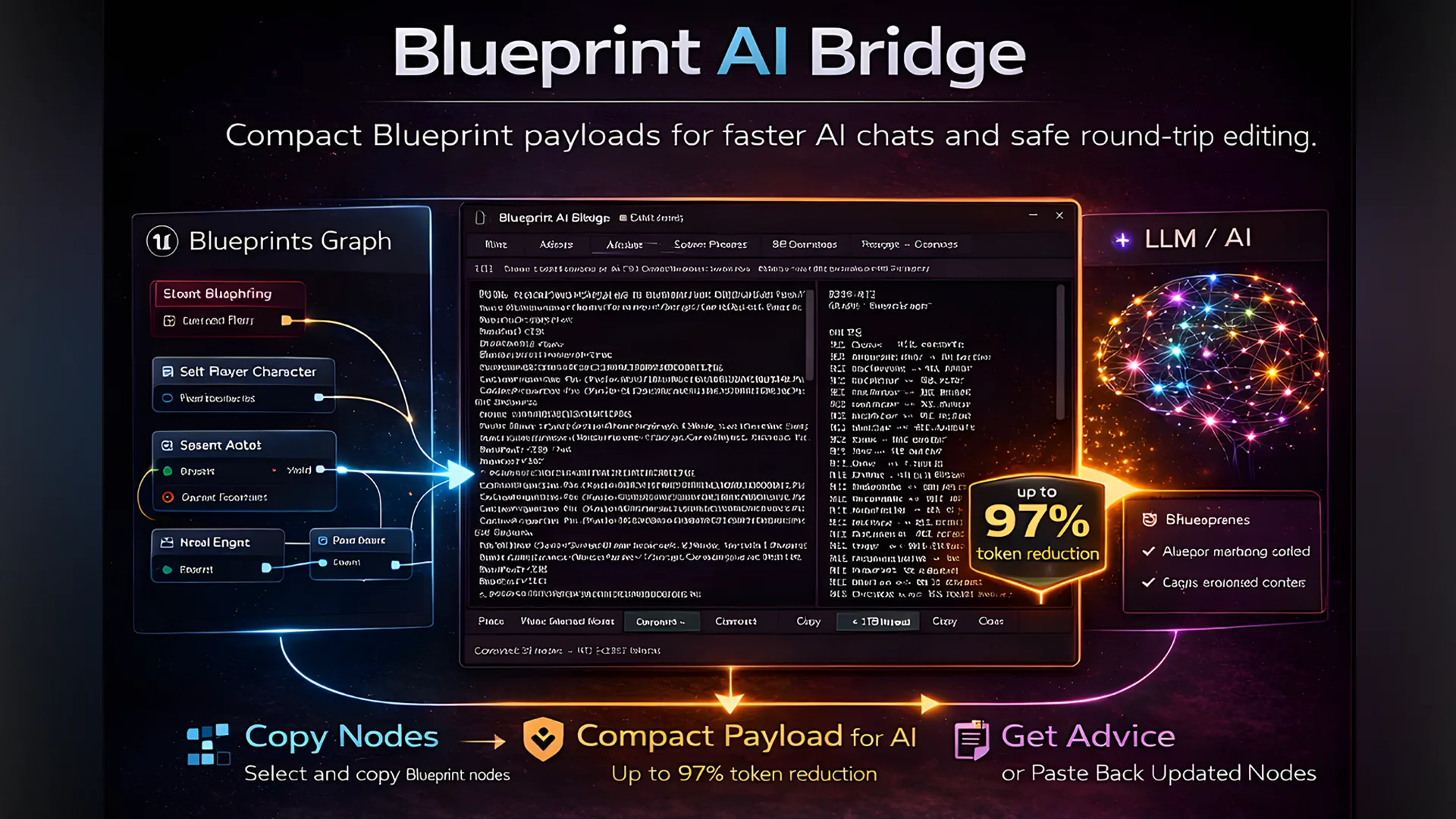
This tool is aimed at teams and individuals working with complex Blueprint graphs where token count, editor readability, and AI-related Blueprint processing can become a practical bottleneck.
The goal is to help Blueprint-based AI workflows stay manageable by improving efficiency and reducing unnecessary overhead during editor-side iteration and analysis.
Two ways to use AI with Blueprints
Send your Blueprint to AI and get explanations, reviews, and suggestions back in plain text. You stay in control — the AI advises, you decide what to change. Reliable, clear, and a natural place to start.
- Understand a Blueprint you didn't write
- Get a second opinion on your logic
- Ask for refactoring or performance suggestions
- Debug unexpected behaviour with full graph context
- Advice+ includes bodies of called functions — no more context switching
Your Blueprint is compressed, sent to AI, edited, and reconstructed back into valid Unreal clipboard data. Paste it straight back into your graph. Powerful for focused edits — and being actively improved with every release.
Round-trip reconstruction works well for clean, focused edits described precisely. It gets harder with large graphs, unusual node types, or broad requests. If a reconstruction comes back wrong, you'll see warnings — and pasting back into Unreal is always undo-able.
We're actively improving RT mode. Feedback and output logs sent to fab.xrvp@gmail.com directly inform what gets fixed next.
- Original node positions and GUIDs
- All pin IDs and Unreal internal references
- Timeline nodes — always restored exactly as captured, never modified
- Variable references and function bindings
- Connection integrity validated against a wire manifest before reconstruction
How it works — Advice Mode
The simplest path. AI advises, you decide.
Select the nodes you want to discuss in your Blueprint graph
Compress the selection into an AI-readable format and copy to clipboard
Paste into your AI of choice — ChatGPT, Claude, Gemini, DeepSeek, anything that takes text — and add your question or request
Read the AI's response — explanations, suggestions, or a review in plain text
Apply the changes yourself in Unreal. You stay in control at every step.
Open the panel with Ctrl+Shift+B. The panel is dockable inside the editor — no browser, no external app.
How it works — RT Mode
Compress, AI edits, paste back. Focused changes on clean graphs work best.
Select nodes in your Blueprint graph
Compress the selection and copy to clipboard
Paste into your AI with the provided system prompt and your request
Copy the AI's reply
Reconstruct the edited graph
Ctrl+V in Unreal — paste into your graph. Done.
Open the panel with Ctrl+Shift+B. The panel is dockable inside the editor — no browser, no external app.
7 encoding modes
Use RT2 for editing, Advice for reviews, and the visual modes — ASCII, Box, Pseudo, Mermaid — any time you need to quickly understand or document a Blueprint you didn't write.
| Mode | What it does |
|---|---|
| RT2 | Round-trip editing — compress, AI edits, paste back |
| Advice | AI-readable summary for explanations and reviews |
| Advice+ | Same as Advice, but includes bodies of called local functions |
| ASCII | Exec-flow flowchart in plain text |
| Box | Bordered node diagram with data flow |
| Pseudo | Plain-English pseudocode — readable by anyone |
| Mermaid | Flowchart for GitHub, Obsidian, or any Mermaid renderer |
ASCII · Box · Pseudo · Mermaid
These modes are useful well outside AI workflows — a fast way to understand or document any Blueprint without opening it in the editor. Paste a Mermaid diagram into GitHub or Obsidian, share a Pseudo output with a non-technical collaborator, or use ASCII and Box to quickly map out graph logic on your own.
Live token estimates on every conversion. More context space means fewer interruptions, better responses, and lower API costs.
RT Mode is a living feature. Known areas being worked on: improved handling of complex struct pins, expanded node type coverage, better LLM guidance in the system prompt, and reduced need for manual correction on larger graphs.
Send outputs, broken reconstructions, or anything surprising to fab.xrvp@gmail.com. The more examples we see, the faster this improves.
Get BAIB — Blueprint AI Bridge through the store
Questions or feedback? fab.xrvp@gmail.com