TouchUETrackpad-friendly graph navigation for Unreal Engine
TouchUE improves laptop trackpad navigation inside Unreal Engine graph editors, starting with Blueprint graphs and extending cleanly to other supported graph canvases. It lets users pan more naturally, keep Ctrl plus scroll available for zoom, and tune the experience through editor settings.
Built for Blueprint-first workflows
- Use your touchpad instead of a mouse on your laptop.
- Works in Blueprint, Material, and Niagara graphs.
- Simple pan to move and pinch to zoom, with optional Ctrl plus pan for zooming.
- Adjustable settings for sensitivity and inversion.
Five-minute first run
- Install the TouchUE plugin into your project's Plugins folder.
- Enable the plugin in Edit > Plugins and restart the editor if prompted.
- Open a Blueprint graph and test panning with trackpad scroll input.
- Use Ctrl + scroll or pinch to zoom.
- Open Editor Preferences and adjust sensitivity or invert settings if needed.
Trackpad navigation that feels native
On supported graph surfaces, scrolling can be used to move around the graph more directly, while keeping Ctrl plus scroll available as a clear zoom gesture.
Users can enable or disable graph categories, control pan and zoom sensitivity, invert directions, enable experimental horizontal pan, and turn on debug logging when diagnosing behavior.
On supported graph canvases, TouchUE can use scroll input to move the graph instead of leaving navigation entirely to default mouse-wheel behavior. In practice, that means vertical scrolling can move the graph up and down, and horizontal trackpad movement can move sideways when that input path is available and enabled.
Use Ctrl + scroll or pinch to zoom. This keeps zoom intentional and makes it less likely that ordinary panning input will be mistaken for zoom.
TouchUE in Unreal Engine
The plugin is designed around day-to-day graph editing and settings that can be tuned per workflow.

Blueprint graph navigation
TouchUE keeps graph movement tuned for trackpad use while you work inside supported Unreal Editor canvases.
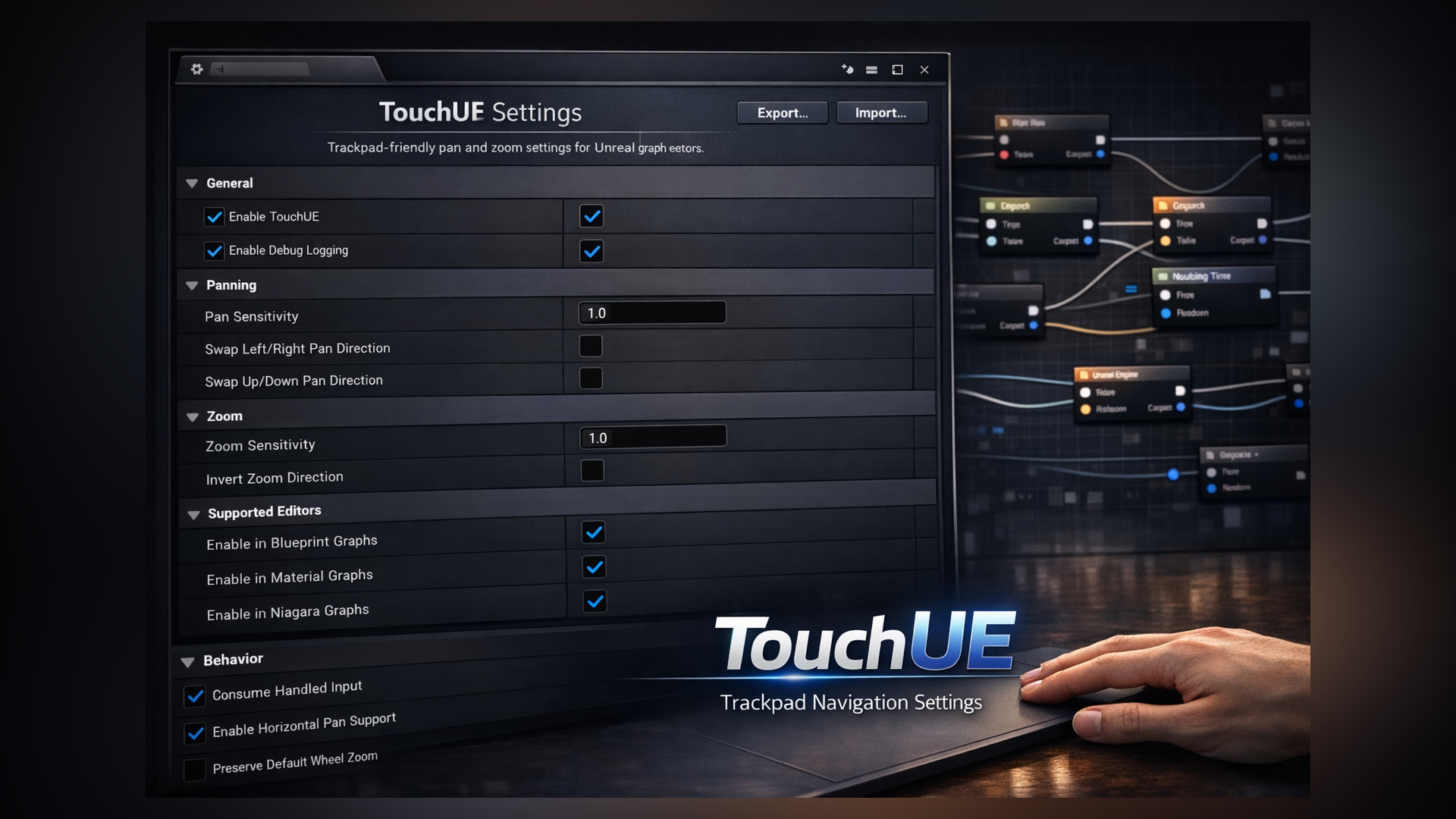
Editor preferences
Sensitivity, inversion, graph support, horizontal pan, and debug logging can be adjusted from editor settings.
Settings Overview
TouchUE exposes editor settings so the navigation feel can be tuned without modifying plugin code.
| Setting | Purpose |
|---|---|
| Blueprint graph support | Enables TouchUE in Blueprint graphs, which are the main supported workflow. |
| Material and Niagara support | Optional graph support that can be enabled where it fits your editor workflow. |
| Only handle supported graph canvases | Keeps handling constrained to recognized graph areas. |
| Consume handled input | Consumes input only when TouchUE actually processes the gesture. |
| Pan sensitivity | Controls how quickly the graph moves while panning. |
| Zoom sensitivity | Controls the response when using Ctrl plus scroll to zoom. |
| Invert pan and zoom | Lets users match direction to personal trackpad preference. |
| Experimental horizontal pan | Enables sideways panning on compatible input paths. |
| Debug logging | Adds detailed logging for diagnosis and editor testing. |